How to add a new user in Keycloak:
Login to your Phonemos site and go to the Settings (top right) -> Manage users; you will be redirected to https://id.linkyard.ch/auth/admin
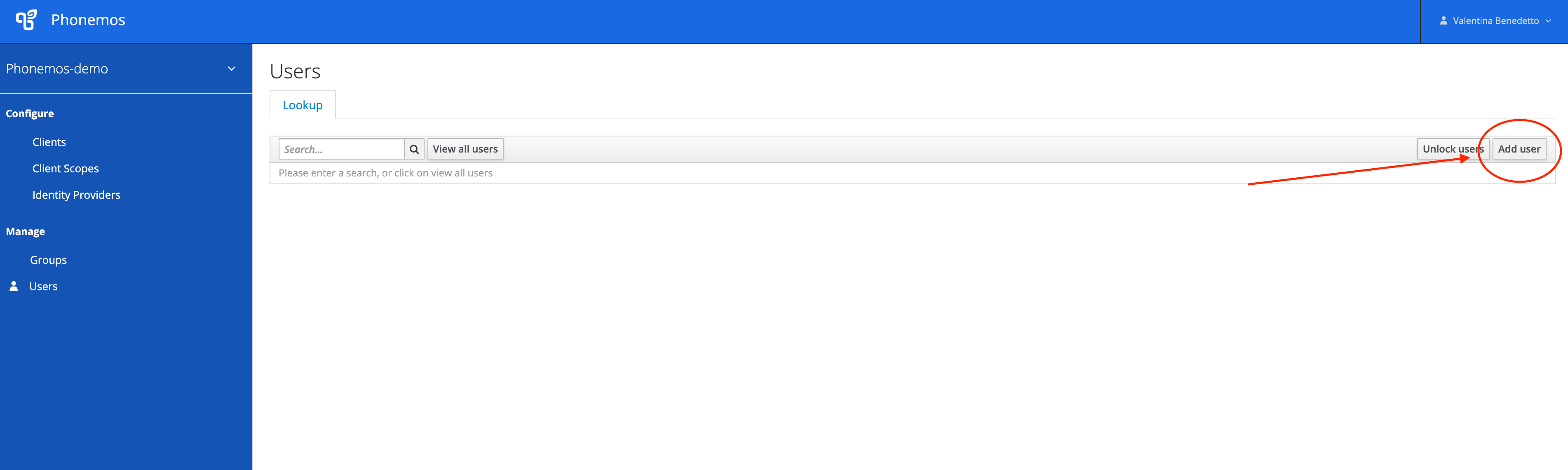
Click “Add user” button on the top right:
When a new window will open, please fill in the information for example as below:
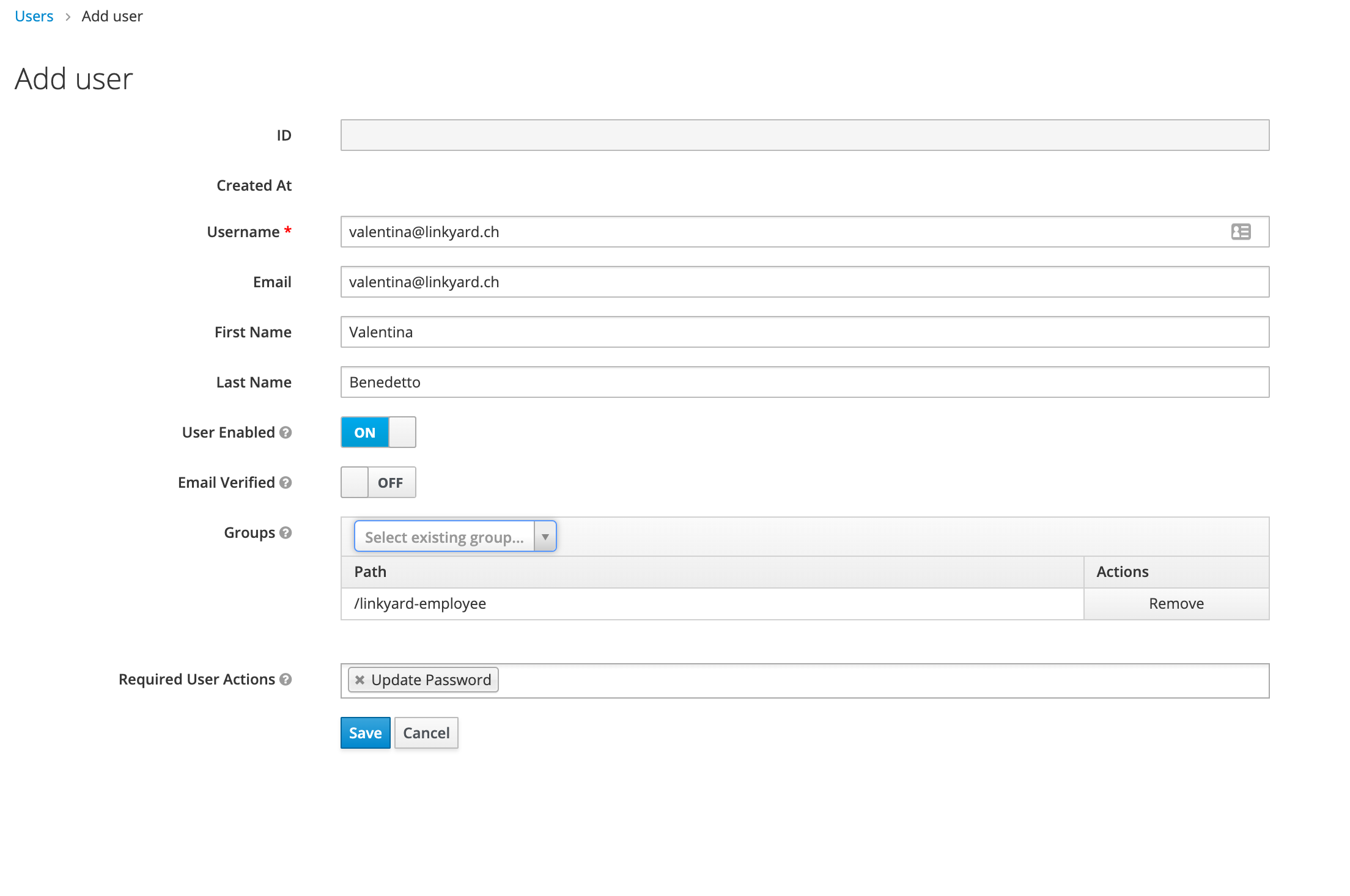
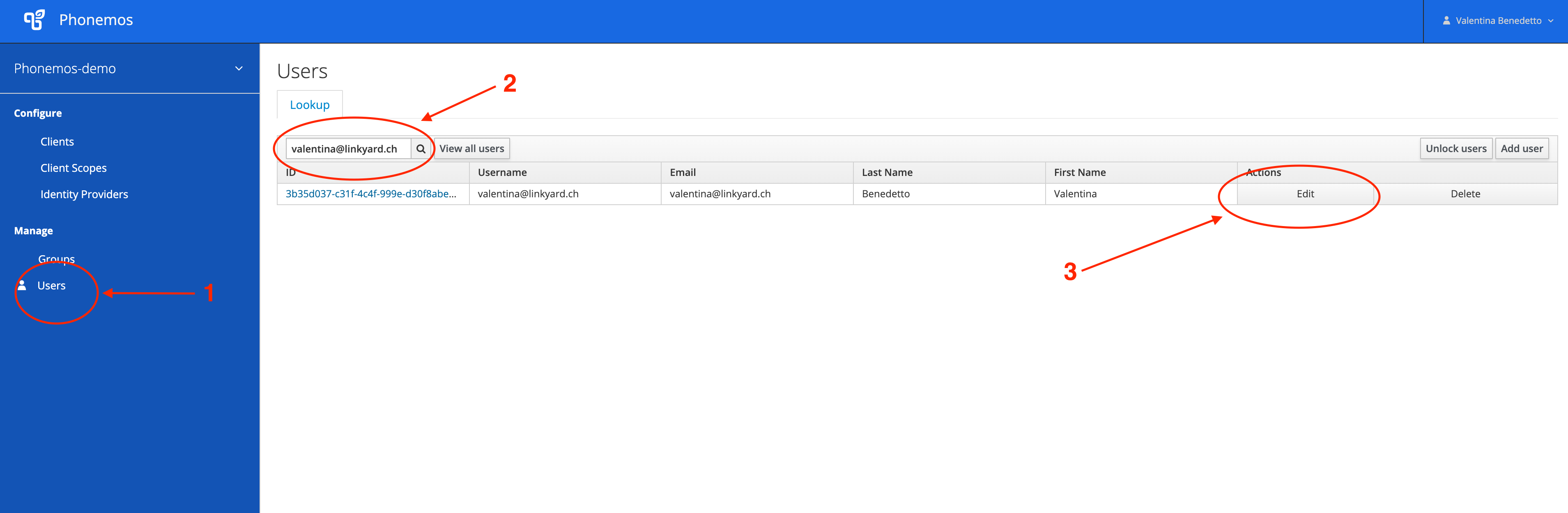
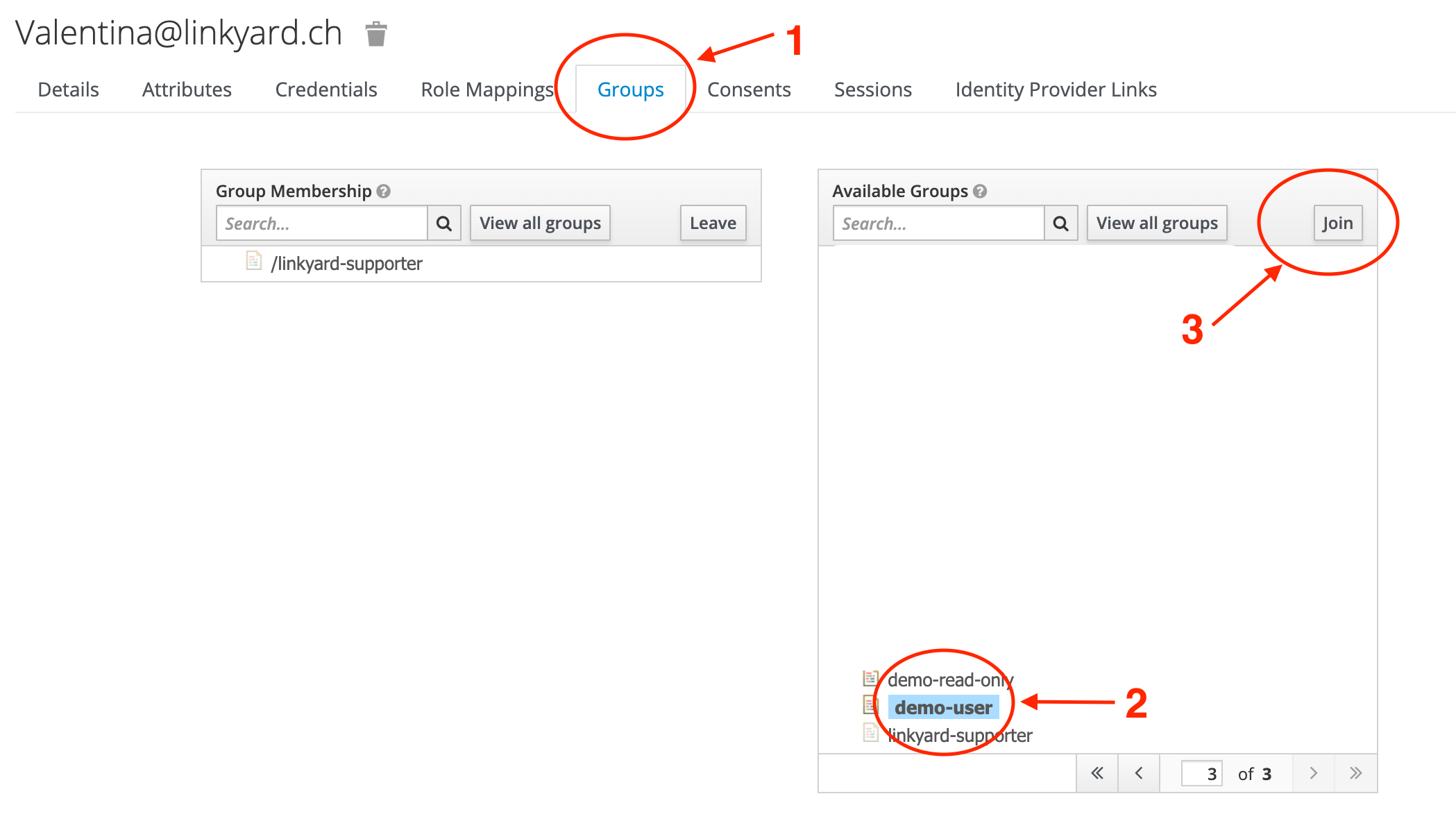
You can add users to groups while creating them, otherwise, you can add them afterwards manually. For this go to the main Keyclock page → Users, search for a username and click search → Edit a user, go to Groups and select the right groups and click Join.
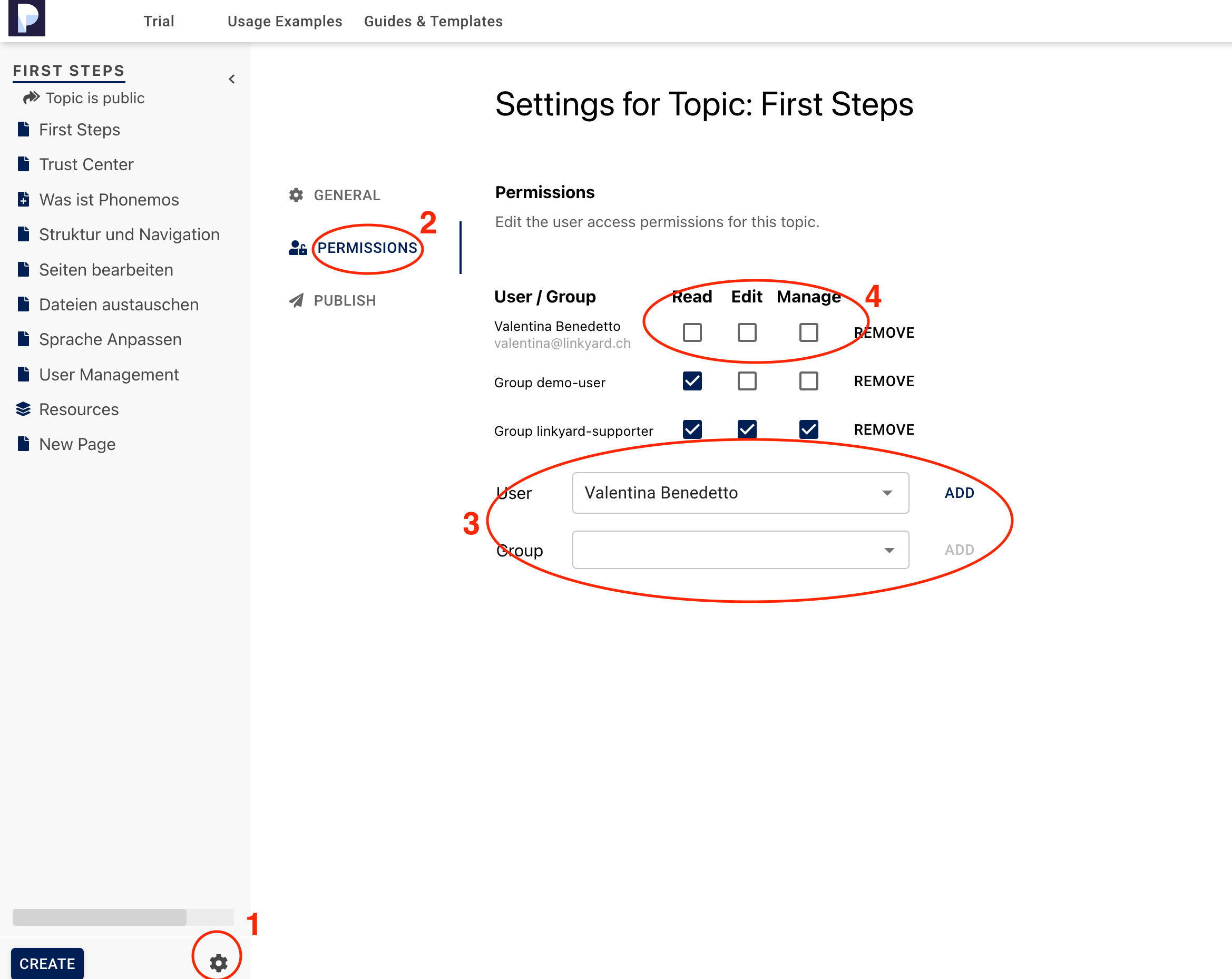
Topic Permissions
In order to edit permissions for the topic, go to  (Bottom left) → Permissions. Add users or groups from drop-down menu and adjust permissions as necessary: